How to Combine a Pile of JPGs Into One PDF (Job Applications, Scanned Forms, Receipts)
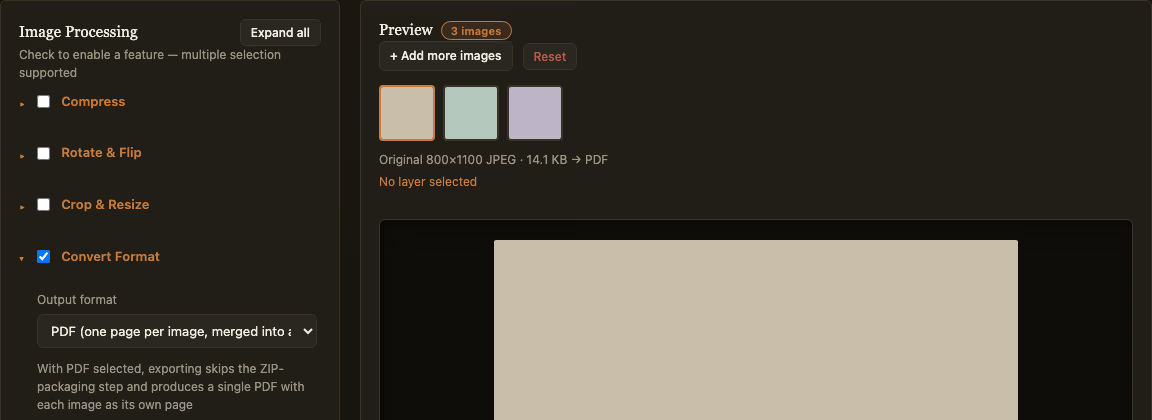
A job application form asks for “one PDF” of your documents, but what you actually have is eight separate phone photos — an ID, a transcript, a signed form. An expense report needs one file with all the receipt photos, not fifteen individual attachments. This is a genuinely common little friction point, and it doesn’t need a PDF editor subscription to solve — a free batch tool handles it in seconds.
How the merge works
Open Batch Convert Images to PDF and drop in your photos. The page order follows the order the images appear in your batch — the same order shown in the thumbnail strip. One detail worth knowing upfront: there’s no separate step to reorder pages after the PDF is generated, so if the order matters (ID first, signed form after), get the images in the right order before you hit convert, not after.
Compress first if the file needs to stay small
Phone photos run several megabytes each these days, and fifteen of them merged into one PDF can easily balloon past what an email attachment limit or an online application form will accept. This tool lets you compress, crop, or watermark the images first, in the same batch pass — no need to export a compressed version and re-import it separately. For anything you’re submitting through a size-limited upload or emailing as an attachment, compressing to a reasonable size first typically shrinks the resulting PDF by several times over, with no visible difference in a receipt or form photo.
Page size follows the image, not a fixed Letter or A4
This is the one detail that catches people off guard: each page is sized to match that image’s own aspect ratio, not a standard page size like Letter or A4. A landscape photo gets a landscape page; a tall scanned document gets a tall page. The image itself is embedded at full resolution regardless, so this doesn’t affect image quality — it only affects how the page proportions look on screen or when printed. Worth knowing ahead of time if the PDF is going to be printed rather than just submitted digitally.
Everything runs locally in your browser — nothing is uploaded to a server, and the finished PDF downloads directly when it’s done.