How to Sign a PDF or Document Online for Free (No Account, No App)
A lease shows up as a PDF and needs your signature on page 4. A freelance contract needs a signature block filled in before you can send it back. The “proper” way people still default to — print it out, sign with a pen, scan or photograph it, upload the scan — takes a printer and a scanner most people don’t have handy anymore, for something that should take thirty seconds.
What you actually need is a signature image
Signing a digital document doesn’t require special legal software in most everyday cases (a printed name, initials, or a scanned signature dropped into the right spot is what most contracts, forms, and internal paperwork actually expect). What you need is a transparent PNG of your signature — a small image with just the ink and nothing else, so when you place it on top of a page it looks like it was actually written there instead of sitting inside a white rectangle.
There are two ways to get one:
- Draw it — with a mouse, or with your finger/stylus on a touchscreen, which produces a far more natural-looking result than a mouse ever will.
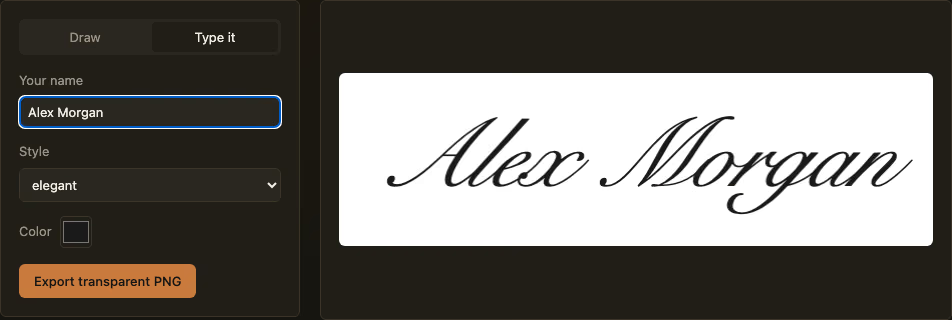
- Type it — type your name and get an instant handwriting-style rendering. Faster, and good enough for low-stakes documents where a hand-drawn look isn’t necessary.
How to create one
- Open the Signature Maker.
- Pick Draw if you have a touchscreen or trackpad you can write on comfortably, or Type it to render your name in a handwriting-style font instantly.
- If drawing, adjust stroke width and color to taste — undo the last stroke if you slip, or clear and start over.
- Export as a transparent PNG. That transparency is the part that matters: it’s what lets the signature sit naturally on top of a page instead of covering it with a white box.
- Drop the exported image into your document. Most PDF readers (including the free Preview app on Mac and Adobe’s free online tools) let you insert an image directly onto a page; Word and Google Docs both support inserting a PNG with a transparent background the same way.
Everything happens in your own browser — nothing is uploaded, and there’s no account to create.
What this isn’t
This tool creates the signature image — it doesn’t place it into a PDF or add legally binding e-signature metadata (timestamps, audit trails, identity verification) the way paid services like DocuSign do. For a casual document — signing off on a form, initialing a lease your landlord emailed you, filling in a signature block on a freelance contract — a clean transparent signature you place yourself is exactly what’s expected and it’s genuinely free. For a document that specifically requires a certified e-signature audit trail (some legal, financial, or government filings do), you’ll want a dedicated e-signature service instead — this tool isn’t trying to replace that, just to save you a trip to the printer for everything else.