Why Did My Free QR Code Stop Working? (And How to Make One That Never Expires)
A restaurant prints table cards with a QR code linking to the menu. A freelancer puts one on a business card pointing to their portfolio. Three months later, someone scans it and gets an error page, or worse, a placeholder ad. The code itself looks fine — nothing is damaged or smudged — it just stopped going anywhere. This isn’t rare, and it isn’t really a bug. It’s what happens when a “free” QR code generator quietly built the code on top of a subscription.
The QR code that can expire (and the one that can’t)
There are two fundamentally different things a QR pattern can point to:
- Static — the actual content (a URL, text, Wi-Fi credentials) is encoded directly into the black-and-white pattern itself. A scanner reads the pattern and gets the content immediately, with nothing in between. Once generated, it’s a finished, self-contained image — there’s no server it depends on, so there’s nothing that can go offline or get shut down later.
- Dynamic — the pattern actually encodes a short link to the QR provider’s own server, which then redirects to your real destination. This is how services offer perks like changing the destination later without reprinting, or showing you scan-count analytics — but it means the code’s ability to work at all depends on that provider’s server staying online and your account staying active. Plenty of “free” QR generators use this model with a free tier that expires after a trial period (commonly 14–30 days) or gets disabled if you stop paying — and a code that already got printed and handed out has no way to know that happened.
For something you’re printing and handing out once — a menu, a poster, a business card, a Wi-Fi password on your fridge — there’s no real advantage to a code that depends on someone else’s server staying up. A static code, once printed, just keeps working.
How to make one that’s actually static
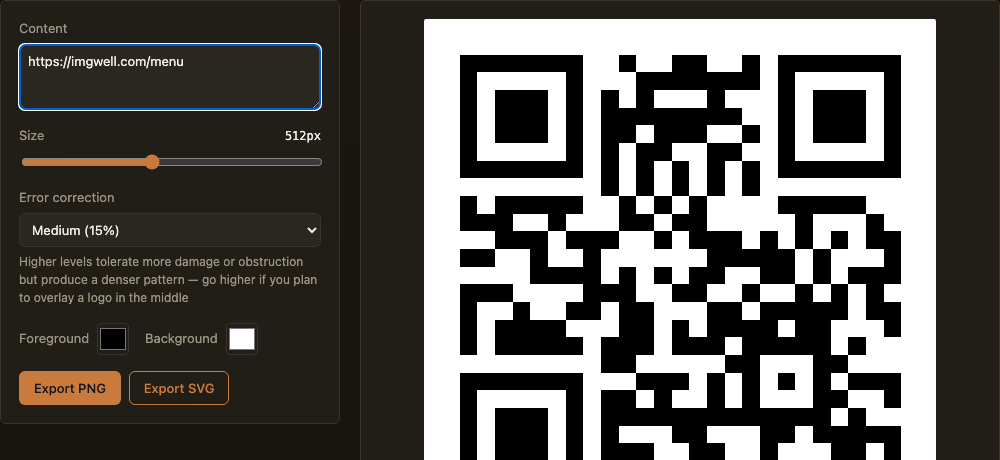
- Open the QR Code Generator and type in your content — a URL, plain text, or Wi-Fi credentials.
- The preview updates live as you type — no account, no “generate” button tied to a server request.
- Adjust the error-correction level if the code is going somewhere it might get scuffed or partially covered — packaging, outdoor signage — or if you plan to put a logo in the center. Higher levels tolerate more damage at the cost of a denser pattern.
- Export as PNG for printing directly, or SVG if it’s going into a design file that needs to scale without pixelating (a large poster or banner, for instance).
The content is encoded directly into the pattern — nothing is sent to a server, there’s no account tied to it, and there’s nothing that can later go offline. Whatever you generate today will scan exactly the same way in five years.
When you’d actually want the dynamic kind
If you genuinely need to update the destination after printing (a menu URL that changes seasonally without reprinting table cards) or want real scan analytics, that’s a legitimate reason to use a dynamic, server-backed service — this tool isn’t built to do that, and no purely front-end tool honestly can be, since tracking scans requires a server in the loop by definition. But for the far more common case — a code you print once and want to keep working indefinitely — static is the safer default, not the limited option.