How to Remove GPS Location Data From Photos Before Posting Online
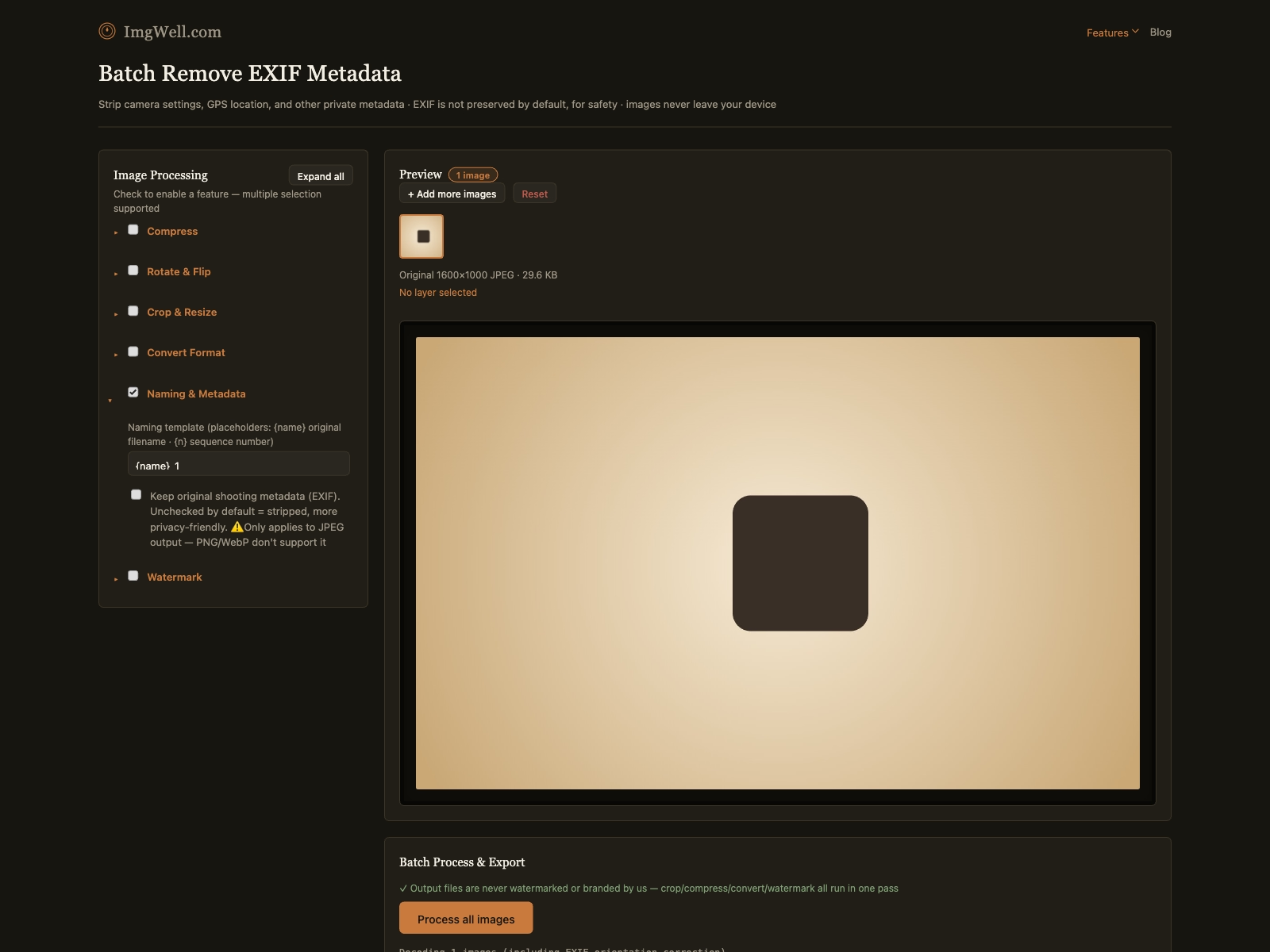
If your phone’s location services are on when you take a photo, the exact GPS coordinates — not an approximate area, the precise spot — get written directly into the photo file. Anyone who downloads the original photo (not a screenshot, the actual file) and checks its metadata can see exactly where it was taken, down to a few meters.
Where this actually matters
- Photos of your home or workplace, posted publicly (marketplace listings, social media, a blog). The location data reveals exactly where you live or work, not just what’s in the photo.
- Photos of children, shared on social media where the original file (not a re-compressed platform copy) might end up downloadable.
- Real estate and rental listing photos — the property’s exact coordinates rarely need to travel with the image file itself, since the listing already states the address separately.
- Photos shared before an event has happened — location data on a photo posted before you’ve left a place can reveal you’re currently there.
Does posting to social media strip this automatically?
It depends on the platform and how the photo is shared, which is exactly why this trips people up. Many major platforms (Facebook, Instagram, X) do strip EXIF data from photos uploaded directly through their own upload flow, as part of their own image processing pipeline. But that protection doesn’t reliably extend to: photos shared as direct file attachments in messaging apps, photos sent via email, photos uploaded to smaller platforms or personal websites, or the original file if someone downloads it before it’s been through a platform’s processing. Assuming “the platform handles it” for every sharing method is the actual risk — the metadata is only guaranteed gone if you remove it yourself before sharing, regardless of where it’s going.
Removing it from a batch of photos
- Import the photos you’re about to share (folder import works for a whole batch at once).
- No action needed for the location/metadata itself — the Clear Privacy Data panel strips EXIF by default when processing a batch. The “Keep original shooting metadata (EXIF)” option there is unchecked by default specifically for this reason.
- Process the batch and download — the output files carry no GPS, device, or shooting metadata, regardless of what format they started in.
One limitation worth knowing: the “keep EXIF” option (if you ever do need it, for a personal archive for example) only works when the output format is JPEG — PNG and WebP don’t support embedding this kind of metadata at all. That’s not a gap in the tool; those formats simply have no metadata field to preserve it in.