How to Batch Crop Passport & ID Photos to the Right Size
Passport and most ID photos follow a strict, specific spec — not a style guideline you can eyeball. Getting the ratio wrong is one of the most common reasons a self-submitted photo gets rejected, on top of the background and lighting rules.
The actual size requirements
- US passport photo: 2×2 inches (51×51mm), a perfect 1:1 square. The head (chin to top of head) must measure 1 to 1 3/8 inches (25–35mm) within that square — meaning the crop isn’t just “square,” it’s a specific zoom level too.
- UK passport photo: 35mm wide × 45mm tall — taller than it is wide, roughly 7:9, not square. A common mistake is cropping it square like a US photo.
- Schengen/EU visa photo: 35×45mm, same ratio as the UK spec.
- US visa photo: 2×2 inches, same square ratio as the US passport photo.
Because these specs vary by country and aren’t all square, the first step is always confirming which exact spec applies — cropping to the wrong ratio is a guaranteed rejection regardless of how good the photo itself looks.
Why batch-cropping helps here specifically
Most people take several candidate shots to pick the best one — different expressions, slightly different framing — and then need to check each candidate against the same strict ratio before choosing. Cropping them one at a time in a phone’s photo editor makes it hard to compare candidates fairly, since each crop is eyeballed slightly differently.
- Import all your candidate shots as a batch.
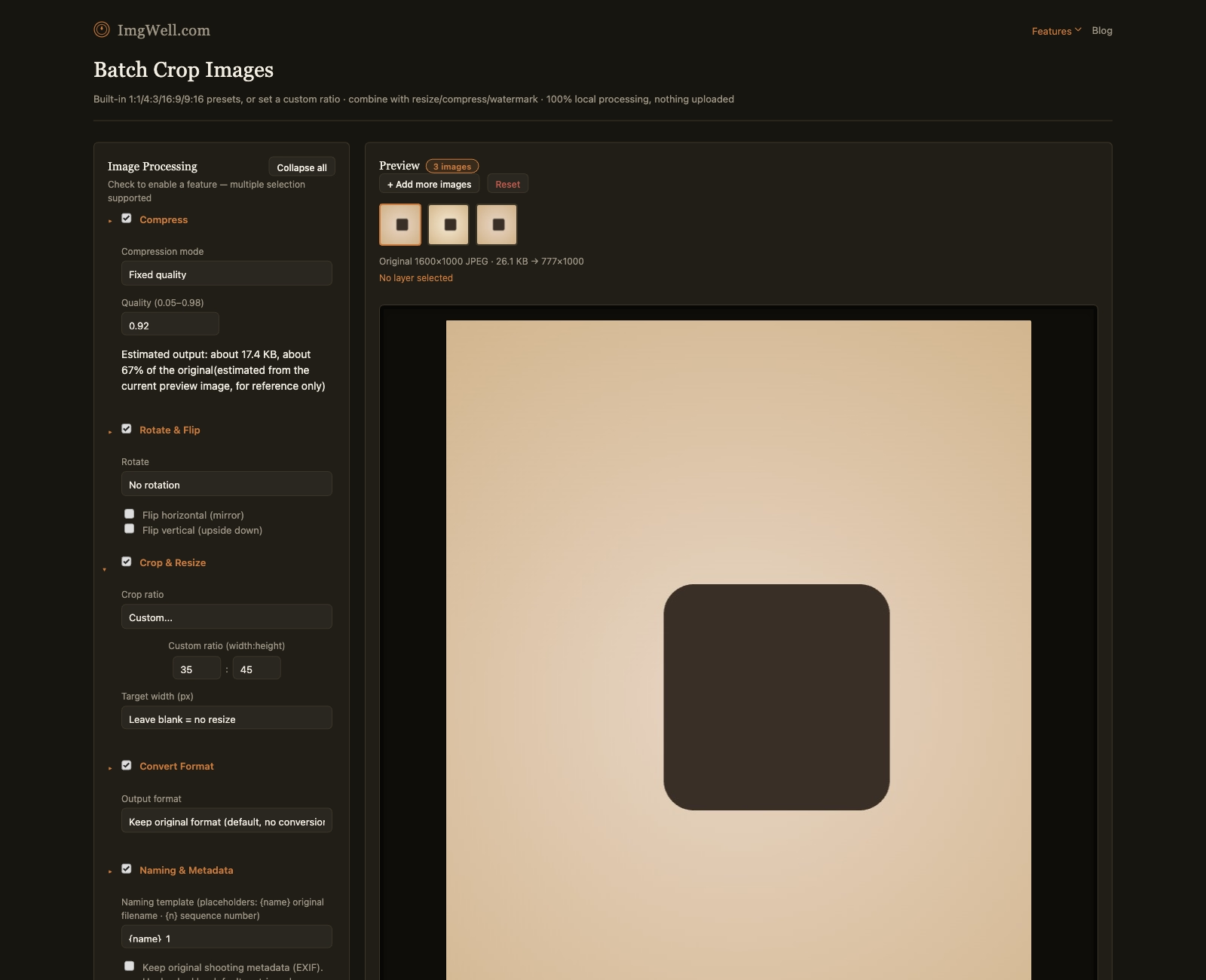
- Open Crop & Resize and set the ratio. For a US passport photo, select the 1:1 preset. For a UK/EU visa photo (35×45mm), use the custom ratio fields and enter
35and45. - Process the batch — every candidate photo comes out cropped to the identical ratio, so you can compare them side by side and pick the best one fairly.
When the form also limits the file size
Many online application forms ask for a photo under a maximum file size as well as a pixel size — 100KB, 50KB or even 20KB is common. Crop to the right ratio first, then use target-size compression to fit the limit; how to compress an image to 100KB walks through the exact settings, including what to do for PNGs and very small targets.
What this tool doesn’t check
Cropping to the correct ratio solves the framing/dimension part of the spec — it doesn’t verify the background color, lighting, expression, or head-size-within-frame rules that passport photo requirements also enforce. Those need to be right in the original photo before cropping; no amount of cropping fixes a non-white background or an off-spec head size within the frame.